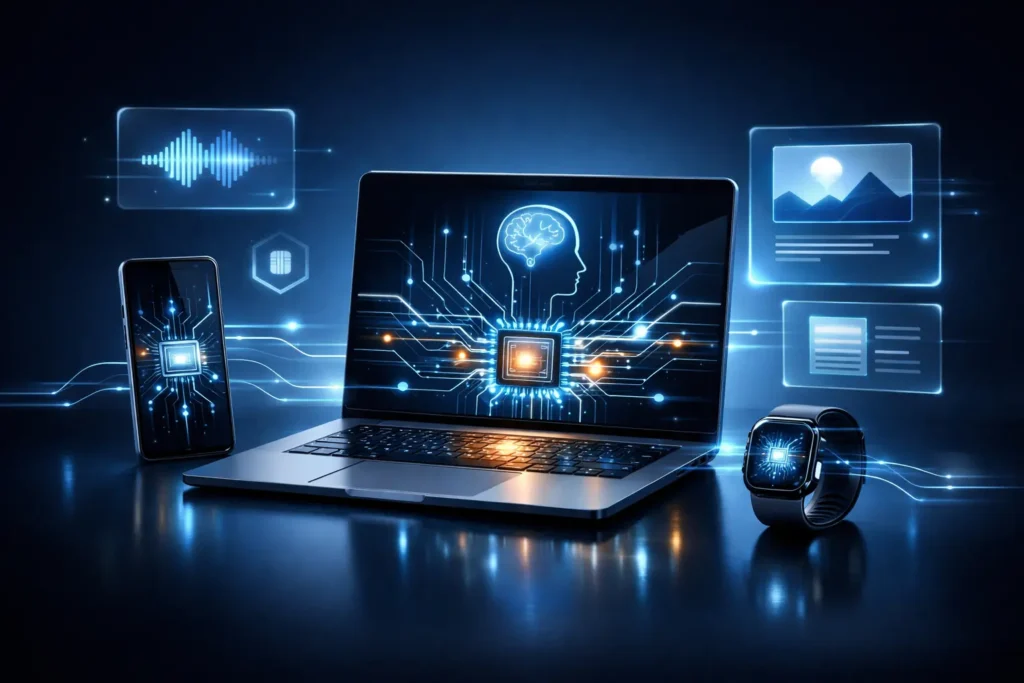
For years, smart gadgets depended on the cloud to feel intelligent. Every command, photo, or request had to travel to distant servers before coming back with an answer.
In 2026, that model is quietly breaking. A new generation of gadgets is running AI directly on the device, changing how laptops, phones, and wearables think, respond, and protect your data.
A new wave is here: on-device AI. This is the shift where your laptop, phone, and even mini PCs can run serious AI features locally, without constantly depending on the internet or a cloud subscription. The engine behind this shift is a new class of silicon: NPUs (Neural Processing Units), purpose-built for AI workloads. Microsoft even formalized this trend with its Copilot+ PC category, which requires an NPU capable of 40 TOPS (trillion operations per second) along with minimum RAM and storage thresholds.
If you’ve been wondering why every gadget launch suddenly screams “AI inside!”, this is the missing puzzle piece.
Let’s break it down in human language and real-world impact: what on-device AI is, why it matters, which gadgets are leading it, and how it changes what you should buy next.
What is on-device AI?
On-device AI means the AI model (or a meaningful part of it) runs directly on your device’s hardware, instead of running primarily on remote servers.
That can include things like:
- real-time transcription and translation
- background noise removal and video call enhancements
- photo and video enhancement
- summarizing content on your device
- smart search across local files
- generating or rewriting text (sometimes fully local, sometimes hybrid)
Some ecosystems are explicitly designed this way. For example, Apple says its Apple Intelligence is “integrated into the core” of iPhone, iPad, and Mac using on-device processing, and uses Private Cloud Compute only when bigger server models are needed.
The headline isn’t “cloud is dead.” The real story is: cloud becomes optional for many everyday AI features.
Why NPUs suddenly matter (and what “TOPS” even means)
A modern gadget can have three different “brains” for different kinds of work:
- CPU: great for general tasks, spreadsheets, browsers, apps.
- GPU: great for graphics and parallel workloads (and also AI, but power-hungry).
- NPU: great for AI inference tasks with high efficiency (more AI work per watt).
Microsoft’s Copilot+ PC requirements made the NPU a key buying spec by setting a clear baseline: 40 TOPS NPU performance.
Qualcomm also explains that TOPS is a way to measure AI throughput, and calls out the 40 TOPS threshold as meaningful for running certain AI experiences smoothly.
Why TOPS is not the whole story
TOPS is useful, but it’s not everything. Real performance depends on:
- model type and optimization
- memory bandwidth
- software stack (Windows, drivers, AI runtimes)
- whether tasks are running on NPU, GPU, or a mix
Still, TOPS has become what megapixels used to be: not perfect, but hard to ignore.
The real benefits of on-device AI (the stuff you actually feel)
1) Speed: instant AI, no waiting room
Cloud AI has travel time: request out, response back. On-device AI can feel like a reflex instead of a message in a bottle.
That matters most for:
- real-time camera enhancements
- live captions and translation
- audio cleanup during calls
- local search and “find that file” style features
2) Privacy: your data doesn’t have to leave your gadget
This is one of the biggest selling points. Apple emphasizes that Apple Intelligence is built around on-device processing and privacy, and describes Private Cloud Compute as a privacy-focused approach when server processing is required.
Even outside Apple, the general logic holds: the less data you ship out, the smaller your exposure surface.
3) Reliability: AI features that work without perfect internet
On-device AI keeps working when:
- your connection is weak
- you’re traveling
- cloud services are throttled
- subscriptions change
- servers are overloaded
It’s the difference between “smart” and “dependable.”
4) Battery life: AI that doesn’t torch your power budget
NPUs are built for efficiency. You want your laptop to do AI tricks without turning into a space heater and sprinting to 0%.
This is one reason the industry is racing toward NPU-centric designs.
The gadgets driving the on-device AI wave
1) Copilot+ PCs: Windows makes the category official
Microsoft defined Copilot+ PCs as Windows 11 PCs powered by an NPU capable of 40+ TOPS, aimed at enabling AI tasks like real-time translations and image creation locally.
Qualcomm echoed this, stating Microsoft requires 40 TOPS NPUs, plus memory and storage minimums.
This is important because it’s not just marketing. It’s a label that pushes OEMs to build to a real standard.
What to look for in 2026: more laptops advertising Copilot+ features, with NPUs crossing 40 TOPS and beyond.
2) Snapdragon X Series and the “AI laptop” narrative
Qualcomm has positioned Snapdragon X Series as a major driver of the Copilot+ PC wave, and has publicly talked about expanding designs and price tiers for Copilot+ PCs.
The practical buyer takeaway: Snapdragon X machines tend to highlight efficiency, battery life, and always-connected behavior, while still meeting those NPU requirements for on-device AI.
3) AMD Ryzen AI and Intel Core Ultra: the x86 AI arms race
AMD and Intel have both framed their latest chips around the “AI PC” idea, emphasizing the coordination of CPU, GPU, and NPU for AI workloads.
And the numbers are climbing fast. At CES 2026, for example, new systems were announced boasting 50+ TOPS class NPUs and beyond, showing how quickly the baseline is rising.
4) Apple’s hybrid approach: on-device first, private cloud when needed
Apple’s approach is particularly instructive because it openly describes a hybrid stack:
- on-device processing for many tasks
- Private Cloud Compute for heavier requests, designed with privacy as a core goal
Apple also published research introducing its foundation models, which provides context that Apple Intelligence involves multiple specialized models tuned for everyday tasks.
What on-device AI looks like in real life (not just keynote slides)
Here’s what’s becoming normal across gadgets:
Smarter calls and meetings
- voice isolation and background noise removal
- auto captions and transcripts
- real-time translation (increasingly local)
- eye contact correction, framing, lighting adjustments
These are ideal NPU tasks: constant, real-time, and efficiency-sensitive.
Photo and video enhancement
Even before the current generative boom, phones used on-device machine learning for imaging. Apple’s Neural Engine has long been linked to camera enhancements like Deep Fusion.
Now we’re seeing that expand into:
- object-aware editing
- auto highlight reels
- smarter portrait processing
- background replacement and cleanup (often hybrid depending on complexity)
Local “AI search” across your files
This is the sleeper feature that will matter more than flashy image generation.
Imagine:
- “find that PDF where I wrote about quarterly targets”
- “show me the slides where the chart dips in July”
- “summarize my meeting notes from last week”
When this works locally, it’s faster, more private, and doesn’t require uploading your whole digital life.
Why the cloud won’t disappear (but your dependence on it will)
Cloud AI still wins when you need:
- very large models
- heavy multi-step reasoning
- massive context windows
- generating long, complex outputs quickly
- cross-device intelligence (in some ecosystems)
But the balance is shifting.
The future looks like this:
- small and medium tasks run locally
- big tasks escalate to cloud
- privacy controls decide what leaves the device
- latency-critical features stay on-device
Apple’s Private Cloud Compute concept is basically an explicit blueprint for this hybrid future.
2026 buying guide: what to check before you buy an “AI gadget”
Here’s the SEO-friendly checklist you can use in your blog conclusion or as a callout box on gadget180.com.
1) NPU rating (TOPS)
If it’s a Windows laptop marketed for “next-gen AI,” look for:
- 40+ TOPS if it claims Copilot+ PC class
- higher TOPS if you want more headroom for future AI features
2) RAM and storage
AI features (especially local ones) are hungry for memory. Microsoft’s Copilot+ PC baseline includes 16GB RAM and 256GB storage in the requirements discussed by Qualcomm.
3) Ecosystem and software support
Hardware is only half the story. Check:
- whether the AI features you care about actually run locally
- whether your apps support NPU acceleration
- how the manufacturer updates AI features over time
4) Battery life under AI workloads
Many devices quote “up to” numbers. The better question:
- how long does it last while doing video calls, captions, or live enhancements?
5) Privacy architecture
If privacy matters (it should), look for:
- on-device processing claims
- transparent policies on what gets uploaded
- hybrid systems designed with privacy boundaries (Apple explicitly markets this).
The big prediction: on-device AI becomes a standard feature, not a premium one
A year or two ago, “AI PC” sounded like a slogan.
Now it’s becoming a product category with measurable requirements and rapidly improving silicon. With CES 2026 announcements showing NPUs crossing 50 TOPS class in mainstream premium laptops and compact desktops, the direction is clear: local AI is being treated like Wi-Fi and SSDs, not like a bonus feature.
In 2026, the smartest buying move isn’t chasing the loudest “AI” sticker.
It’s choosing devices that can do useful AI tasks on-device, efficiently, privately, and reliably, even when the cloud is out of reach.